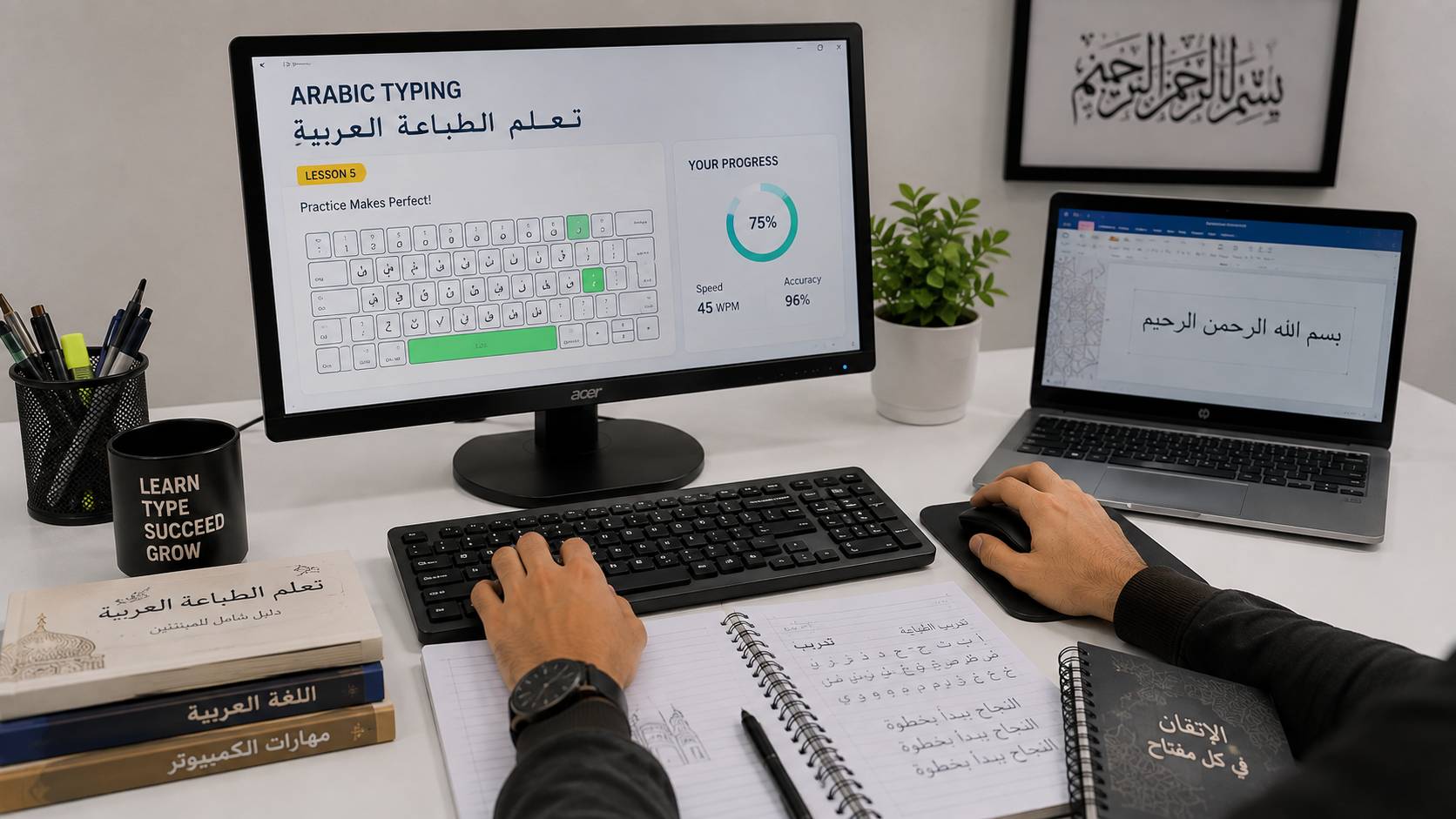
Learn fast and accurate typing with proper techniques and practice. Improve your typing speed, reduce errors, and become efficient in computer-based tasks.
Learn moreShow less
Improve your typing speed and accuracy with this English Typing Course. Learn proper finger placement, keyboard techniques, and speed-building exercises to become efficient in typing for academic, professional, and everyday use.
Typing Fundamentals
Learn proper finger placement and keyboard basics.
Home Row Practice
Master the core keys for faster and more accurate typing.
Speed Building Techniques
Increase typing speed with guided exercises.
Accuracy Improvement
Reduce errors and improve typing precision.
Typing Tests & Practice
Regular tests to track speed and performance.
Paragraph & Document Typing
Practice typing real-world content and documents.
Number & Special Keys
Learn to type numbers and symbols efficiently.
Time-Based Typing
Improve performance under time constraints.
Typing Without Looking
Develop touch typing skills for maximum efficiency.
Performance Tracking
Monitor progress in speed (WPM) and accuracy.
Course Curriculum
Introduction to Typing – Basics of keyboard and typing techniques.
Home Row Keys – Learning the foundation keys.
Upper & Lower Row Keys – Expanding typing coverage.
Number & Symbol Keys – Typing numbers and special characters.
Speed Practice – Exercises to increase typing speed.
Accuracy Practice – Reducing mistakes while typing.
Paragraph Typing – Real-world typing practice.
Typing Tests – Time-based typing assessments.
Touch Typing – Typing without looking at the keyboard.
Final Assessment – Evaluate speed and accuracy improvement.
Outcomes designed for real workplace skills — not just theory.
✓Improve typing speed (WPM) and accuracy.
✓Learn touch typing for faster and efficient work.
✓Reduce typing errors and increase productivity.
✓Useful for students, office work, and data entry jobs.
✓Build a strong foundation for computer-based careers.
✓Save time in daily tasks like assignments and documentation.
Job-ready practical skillsCallback after you applyOffline classroom training
Career opportunities
Roles this English Typing course prepares you for.
English Typist
Type letters, reports, and forms quickly and accurately in English.
Data Entry Operator
Enter English records into Excel, Tally, or office software.
Transcription Executive
Convert English audio or notes into clean typed documents.
Documentation Typist
Prepare official letters, circulars, and file notes.
Back Office Typist
Process English forms and data away from the front desk.
Clerical Typist
Support an office with typing, photocopying, and file updates.
Computer Typist
Type on Word and email as the main daily office skill.
Data Processing Executive
Key large volumes of English data with few errors.
Office Typist
Handle correspondence and registers for a shop or institute.
Records Entry Operator
Update student, patient, or customer records in English.
Freelance Typist
Type assignments, resumes, and documents for clients.
Admin Data Operator
Combine typing with basic computer and filing support.
How you can learn
Pick the format that fits your schedule. We help you choose after you apply.
Mode
Offline classroom
Learn in person at Gladsme with hands-on practice and peer support.
Results & student stories
Outcomes and feedback from learners on this path.
Completed
1K+
Placed
100+
Student reviews
Written feedback from learners.
★★★★★
“I joined English Typing at Gladsme Computer Education and found the training very practical. I especially liked learning touch typing, speed, accuracy and professional document typing. The sessions helped me understand the concepts better and gave me confidence to practice on my own.”
★★★★★
“The English Typing course at Gladsme Computer Education was a useful learning experience for me. The trainer explained touch typing, speed, accuracy and professional document typing in a simple way, and the practical exercises made the topics easier to understand.”
★★★★★
“Good experience learning English Typing at Gladsme Computer Education. I was looking for practical training around Kasaragod District, and the course gave me useful exposure to touch typing, speed, accuracy and professional document typing.”
★★★★★
“I would recommend the English Typing program at Gladsme Computer Education to anyone who wants to build practical skills. The training on touch typing, speed, accuracy and professional document typing was particularly useful for my learning and future work.”
★★★★★
“I chose Gladsme Computer Education in Mangalore to Kasaragod area to learn English Typing. The course covered touch typing, speed, accuracy and professional document typing, and I liked the combination of explanations and hands-on practice. It was a good step toward improving my skills.”
★★★★★
“The English Typing training was easy to follow and well structured. At Gladsme Computer Education, I got practical exposure to touch typing, speed, accuracy and professional document typing, which helped me understand how these skills can be used in real projects.”
★★★★★
“Really useful learning experience with the English Typing course at Gladsme Computer Education. I enjoyed practicing touch typing, speed, accuracy and professional document typing, and the guidance from the trainer helped me improve gradually.”
★★★★★
“I was searching for a good institute in the Kasaragod District area for English Typing, and Gladsme Computer Education was a good choice for me. The practical training in touch typing, speed, accuracy and professional document typing was the main highlight.”
★★★★★
“The English Typing program gave me a better understanding of touch typing, speed, accuracy and professional document typing. I liked the practical approach at Gladsme Computer Education and found the training useful for building confidence and improving my skills.”
★★★★★
“Happy with my learning experience at Gladsme Computer Education. The English Typing course covered touch typing, speed, accuracy and professional document typing with practical exercises, and I feel better prepared to use these skills in my studies, projects or work.”
★★★★★
“I joined English Typing at Gladsme Computer Education and found the training very practical. I especially liked learning touch typing, speed, accuracy and professional document typing. The sessions helped me understand the concepts better and gave me confidence to practice on my own.”
★★★★★
“The English Typing course at Gladsme Computer Education was a useful learning experience for me. The trainer explained touch typing, speed, accuracy and professional document typing in a simple way, and the practical exercises made the topics easier to understand.”
★★★★★
“Good experience learning English Typing at Gladsme Computer Education. I was looking for practical training around Kasaragod District, and the course gave me useful exposure to touch typing, speed, accuracy and professional document typing.”
★★★★★
“I would recommend the English Typing program at Gladsme Computer Education to anyone who wants to build practical skills. The training on touch typing, speed, accuracy and professional document typing was particularly useful for my learning and future work.”
★★★★★
“I chose Gladsme Computer Education in Mangalore to Kasaragod area to learn English Typing. The course covered touch typing, speed, accuracy and professional document typing, and I liked the combination of explanations and hands-on practice. It was a good step toward improving my skills.”
★★★★★
“The English Typing training was easy to follow and well structured. At Gladsme Computer Education, I got practical exposure to touch typing, speed, accuracy and professional document typing, which helped me understand how these skills can be used in real projects.”
★★★★★
“Really useful learning experience with the English Typing course at Gladsme Computer Education. I enjoyed practicing touch typing, speed, accuracy and professional document typing, and the guidance from the trainer helped me improve gradually.”
★★★★★
“I was searching for a good institute in the Kasaragod District area for English Typing, and Gladsme Computer Education was a good choice for me. The practical training in touch typing, speed, accuracy and professional document typing was the main highlight.”
★★★★★
“The English Typing program gave me a better understanding of touch typing, speed, accuracy and professional document typing. I liked the practical approach at Gladsme Computer Education and found the training useful for building confidence and improving my skills.”
★★★★★
“Happy with my learning experience at Gladsme Computer Education. The English Typing course covered touch typing, speed, accuracy and professional document typing with practical exercises, and I feel better prepared to use these skills in my studies, projects or work.”
Frequently asked questions
Quick answers before you apply — counselors confirm batch details.
Do I need prior coding experience to join?+−
Most beginner programmes start from the basics. Counselors will confirm the right batch after you apply.
Do I need to bring my own laptop?+−
A laptop helps for practice at home. Institute systems are available for classroom batches — ask during counseling.
What is the class schedule (days/hours per week)?+−
Schedules vary by batch (weekday / weekend). We share hours after you apply, based on Online Live or Offline.
What happens if I miss a class?+−
Talk to your mentor. We help you catch up with notes, recordings where available, or a makeup session.
Is there a refund or reschedule policy?+−
Policies depend on the batch you join. Counselors explain fees, EMI (if offered), and reschedule options before admission.
What kind of placement support is provided?+−
We support interview prep, resume feedback, and local hiring connections in the Mangalore–Kasaragod belt where available.
Visit our institute
Hosangadi, Manjeshwar, Kasaragod, Kerala, India — serving students from Mangalore, Kasaragod, and Manjeshwar.
This comprehensive 2-month professional certification course is designed to build practical computer and digital workplace skills. Students learn computer operations, file management, MS Word, Excel, PowerPoint, Google Workspace, AI tools, PDF and file utilities, online services, e-governance platforms, professional communication, and essential office administration workflows through practical exercises and projects.
The Office Management Computer Essentials course is designed to build practical computer and office productivity skills required for modern workplaces. The program begins with computer fundamentals, operating system basics, typing, file and folder management, and system settings before progressing into MS Word, MS Excel, PowerPoint, Google Workspace, internet usage, communication tools, and practical office workflows. Students will complete hands-on exercises, practice activities, quizzes, and a final assessment.
Learn fast and accurate typing in Arabic with this Arabic Typing Course. This program helps you master Arabic keyboard layout, improve typing speed, and develop accuracy for professional, academic, and office use.
Arabic Keyboard Fundamentals
Understand Arabic keyboard layout and key placements.
Letter Practice
Learn individual Arabic letters and typing techniques.
Word & Sentence Typing
Practice typing Arabic words and sentences fluently.
Speed Building Techniques
Increase typing speed with guided exercises.
Accuracy Improvement
Reduce mistakes and improve typing precision.
Touch Typing Skills
Type without looking at the keyboard efficiently.
Numbers & Symbols
Learn Arabic numbers and special characters typing.
Typing Tests & Practice
Regular tests to measure speed and accuracy.
Real-World Typing
Practice typing documents and paragraphs in Arabic.
Performance Tracking
Track progress in typing speed and accuracy.
Course Curriculum
Introduction to Arabic Typing – Basics of Arabic keyboard and typing system.
Arabic Letters Practice – Learning and typing individual letters.
Word Formation – Typing Arabic words correctly.
Sentence Typing – Practice typing full sentences.
Speed Practice – Exercises to increase typing speed.
Accuracy Practice – Reducing errors while typing.
Numbers & Symbols – Typing Arabic numbers and special characters.
Paragraph Typing – Real-world document typing practice.
Typing Tests – Time-based performance tests.
Final Assessment – Evaluate typing speed and accuracy.

 All level